CREATE / BROADCAST
OVERLAY
STUDIO
Build your signature on-screen identity. Shape a scene that feels unmistakably yours.
Inside the studio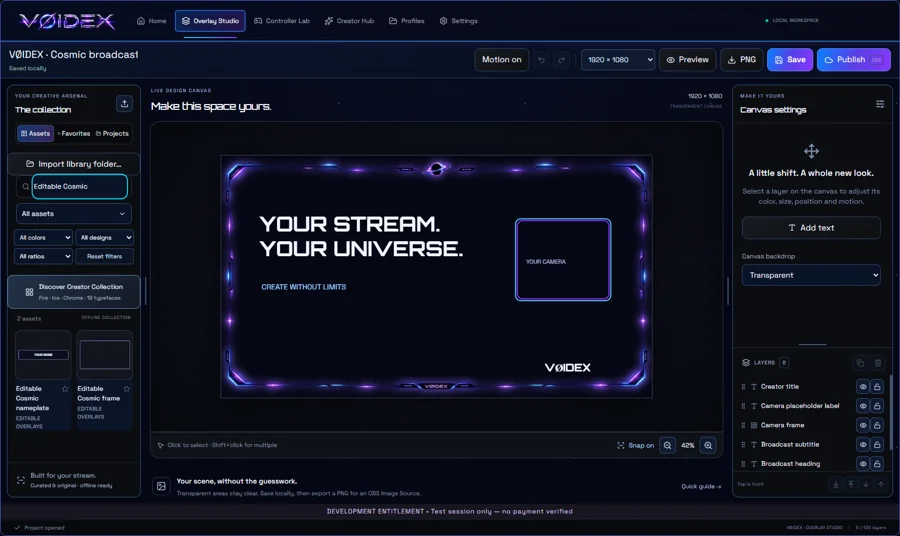
 Get beta access
VØIDEX / THE CREATOR ECOSYSTEM
Shape the way you play. Create without limits.
Everything you need, connected in one universe.
WINDOWS x64 · PRIVATE BETA · LICENSE KEY REQUIRED
CREATE / BROADCAST
Build your signature on-screen identity. Shape a scene that feels unmistakably yours.
Inside the studioCONNECT / CONTROL
Your controls, your way. Start with standard controls, then change the bindings you choose.
Find your setup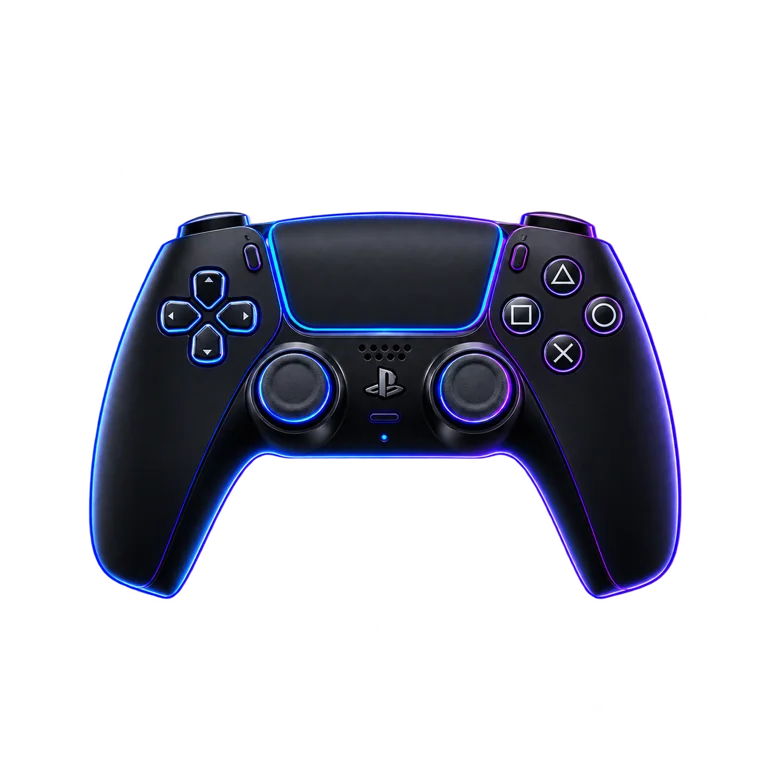
YOUR STREAM, WITH YOUR SIGNATURE
From a first scene to your next stream.
Build, arrange, save, and bring it into OBS.
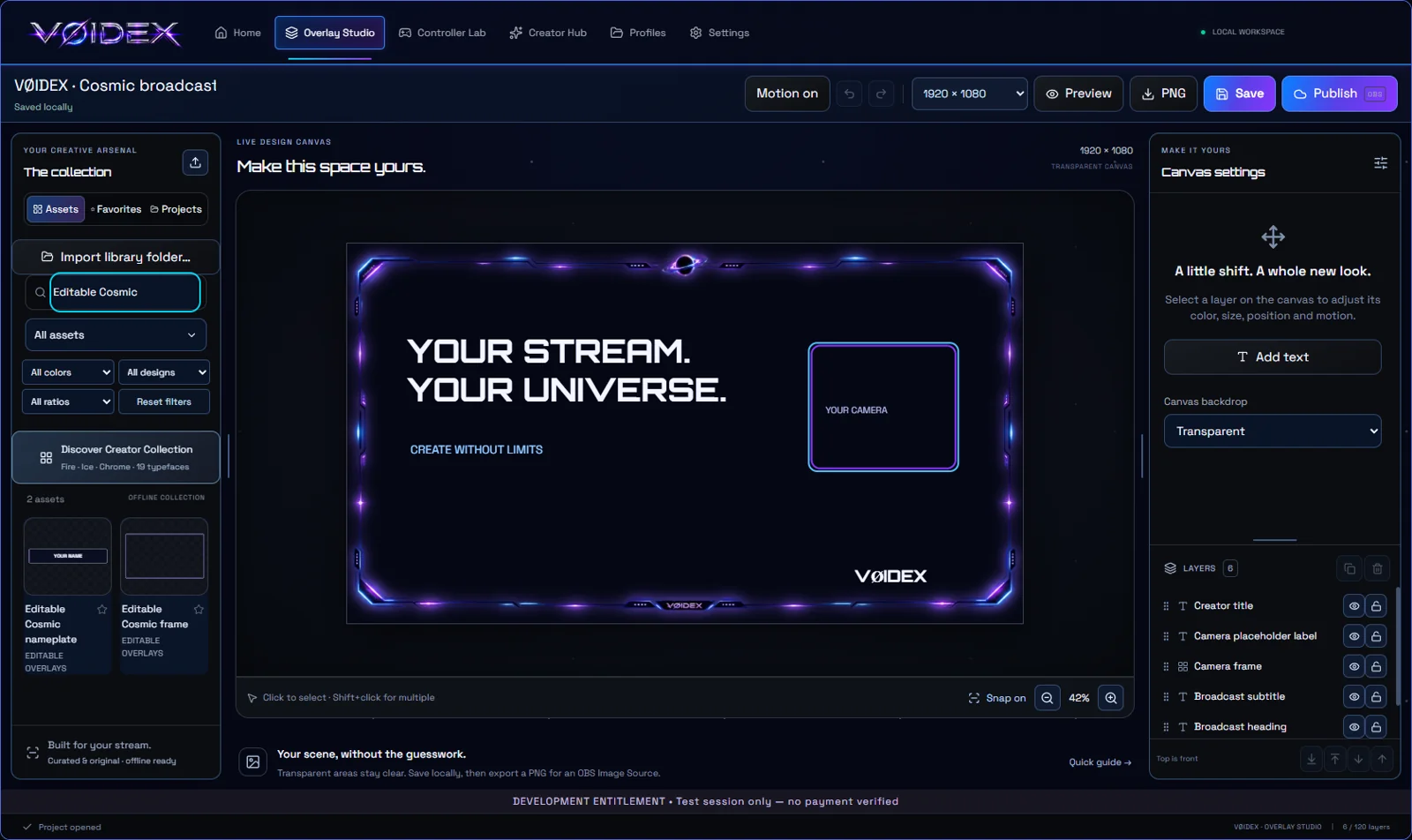
Browse the bundled collection by color, category, design type, or aspect ratio.
Arrange your scene with drag-to-reorder layers, locking, resizable panels, and editable text elements.
Publish a local Browser Source for OBS, or export a static PNG for an Image Source.
A LITTLE CHANGE. YOUR OWN FEEL.
Explore PlayStation, Xbox, and keyboard & mouse workflows. Save your own profiles and choose individual bindings without rebuilding your entire setup.
Compatibility depends on your device, output mode, and game. Test your setup before using it live.
Try Controller LabIllustrative bindings — choose your own in the app.
FIRST STREAM? START HERE.
A short path to getting your first VØIDEX scene into OBS. The app also includes a guided checklist.
Get OBS StudioRun the Windows installer and enter your individual beta license key. No separate app ZIP is needed.
Open Overlay Studio, add assets and text, arrange your layers, then save your project.
Choose Publish in VØIDEX. Copy the local URL into an OBS Browser Source and match your canvas dimensions.
Keep VØIDEX running for the live source. Record a short test in OBS and check your scene, audio, and performance.
THE NEXT FRONTIER
Ideas becoming tools.
Future features are separate from the current beta.
A future space for voice presets, effects, and stream-friendly audio routing.
Camera effects and a unified lens workflow. The camera backend is not included in this downloadable beta.
Roadmap previews describe direction, not included features or promised release dates.
WINDOWS BETA / 0.17.0
Get access to the beta. Help shape what comes next.
ALREADY INVITED?
Enter your individual key to unlock the Windows download. This check does not activate your key or start its expiry.
Don't have access? Apply for beta testing →YOUR FEEDBACK SHAPES VØIDEX
Tell us how you'd use VØIDEX. Applications are reviewed manually, and approved testers receive an individual key by email.
Already testing? In the app, open Settings → Updates & testing → Check for updates.
This is a beta build. Save your projects and finish streaming before updating. Optional driver setup may request Windows administrator permission and a restart. The installer currently has no Windows publisher signature; Windows may display an unrecognized-app warning. You'll still need to activate the app with your key after installation.
Use Apply for beta testing above to prepare an email to voidexgaming@outlook.com. Send the email from your mail app. We review requests and issue approved keys manually. No payment or public key generator is involved.
Copy the complete key from your invitation, including VX-. Expired or revoked keys cannot unlock the download. If you need help, email voidexgaming@outlook.com without including your full key.
Open Settings → Updates & testing in VØIDEX and export your feedback report. Email voidexgaming@outlook.com with the steps to reproduce the issue. Avoid sharing license keys or personal information.